Your MongoDB, in your pocket.
Bussola is a MongoDB client for iPhone. Query, edit and aggregate your Atlas or self-hosted databases over a direct TLS connection. No backend, no account.
Free · iPhone · iOS 15.1+ · Data Not Collected
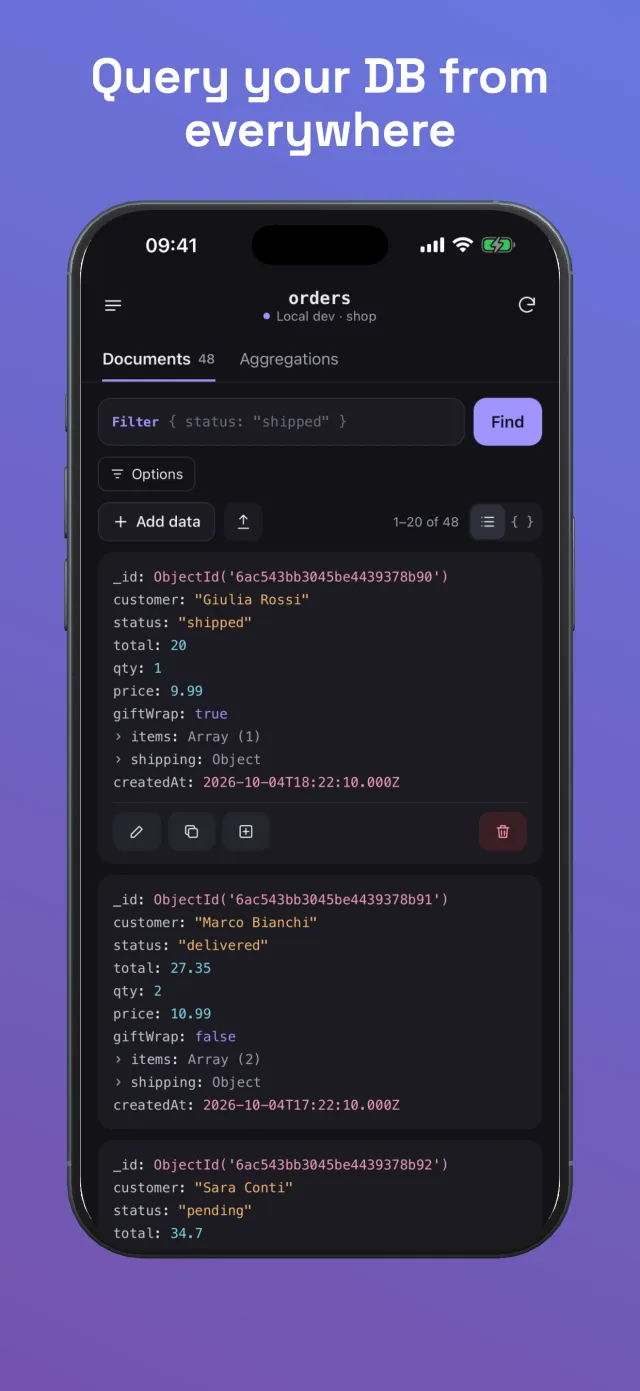
No backend
Your phone talks to your database. Nothing in between.
Official driver
The MongoDB Rust driver, compiled for iOS, speaking the native wire protocol over TLS.
Built for mobile networks
Reconnects automatically when you move between Wi-Fi and cellular; slow operations time out and can be cancelled.
Private
No account, no analytics, no tracking. Data Not Collected.
Compass-style power, sized for a phone
Everything you reach for when something looks wrong in production and your laptop is at home.
Query from anywhere
Shell-syntax filters like { status: "shipped", total: { $gt: 50 } }, with sort, projection, skip and limit. Counts, pagination, pull to refresh, card or JSON view, and export through the share sheet.
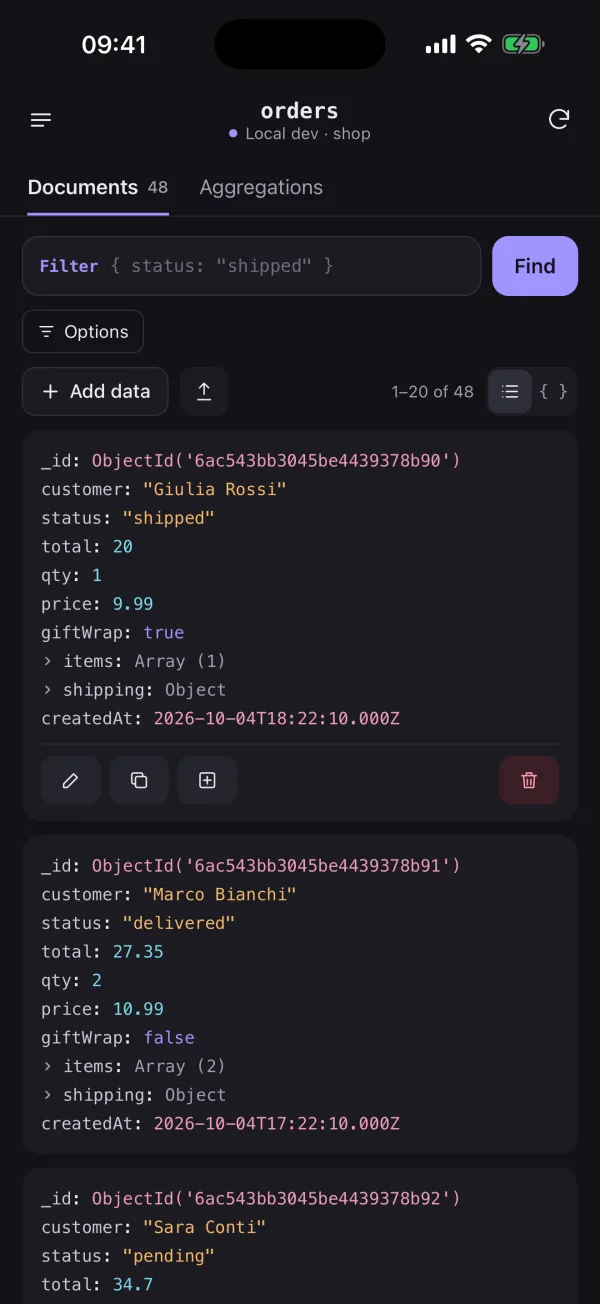
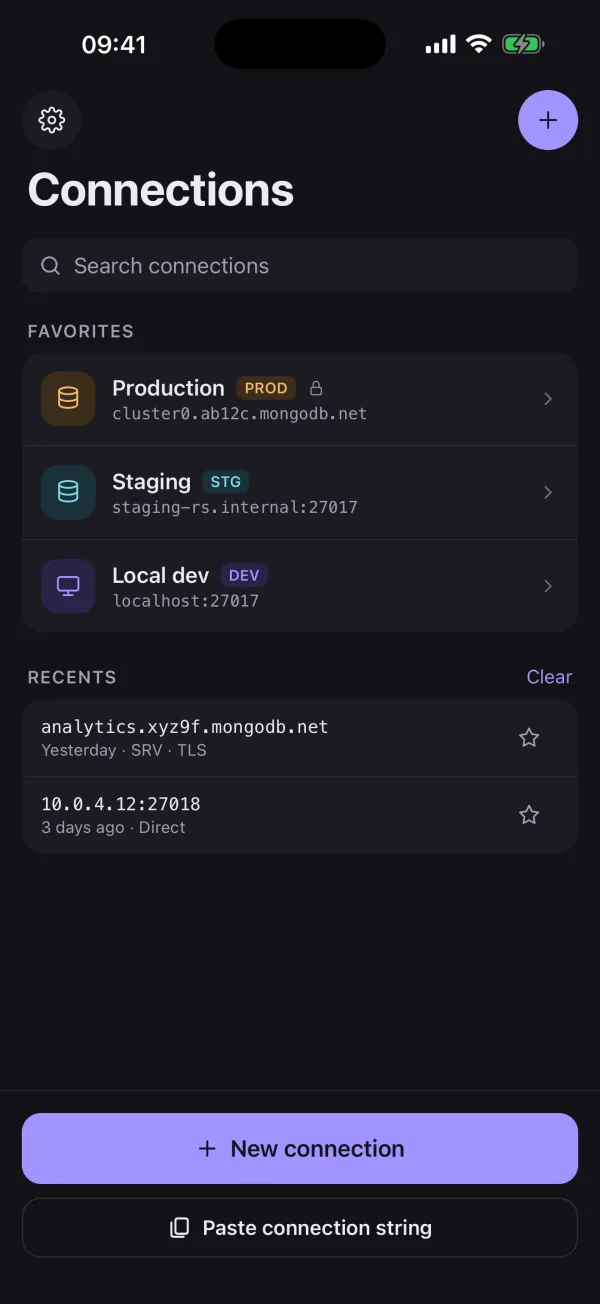
Every cluster in your pocket
Paste a mongodb:// or mongodb+srv:// string and browse databases, collections and views. Label connections PROD, STAGING or DEV, pin favorites, and test a connection before saving it.
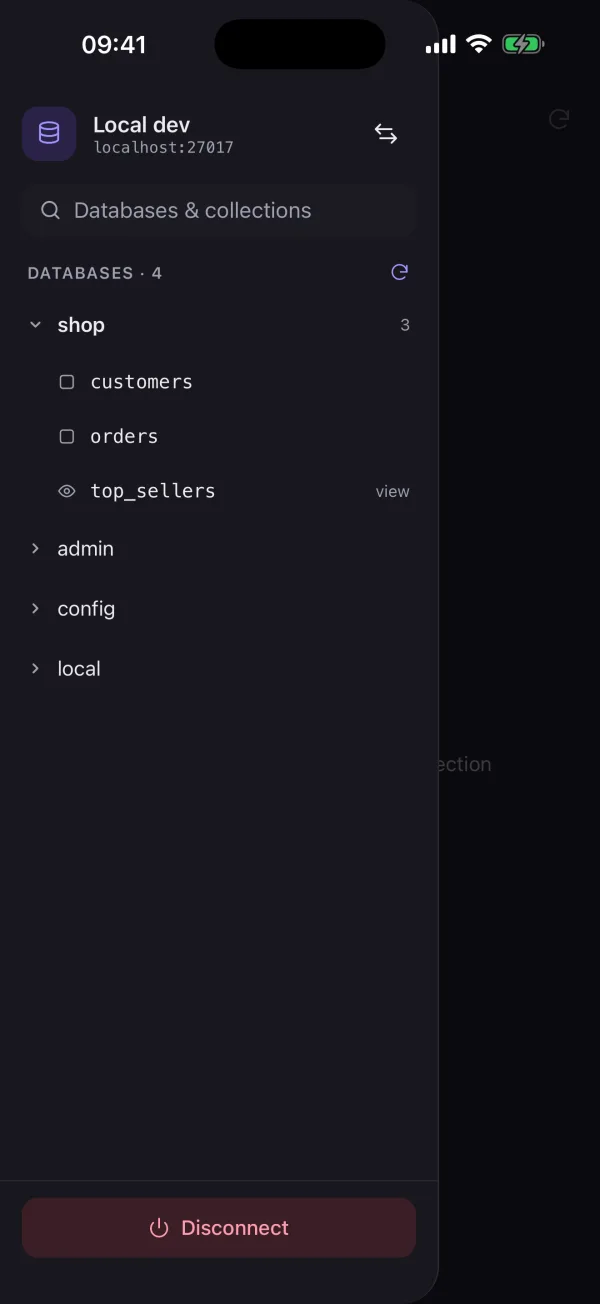
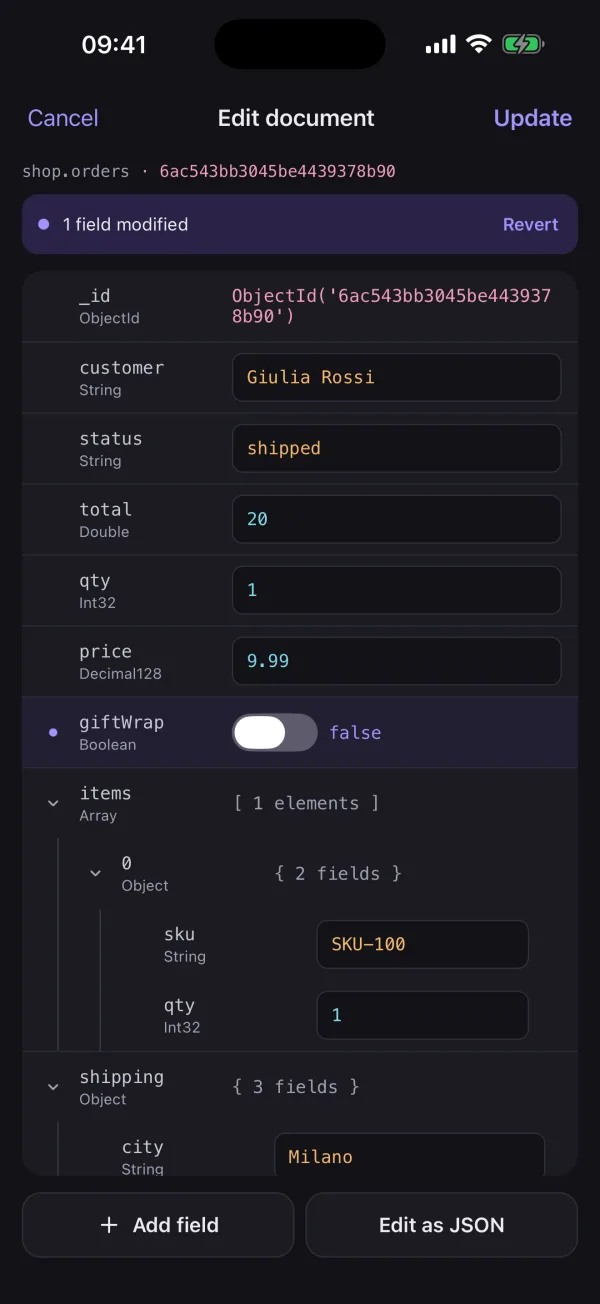
Edit with real BSON types
A typed editor for String, Int32, Int64, Double, Decimal128, Date, ObjectId, Boolean, Null, Object and Array. Saves only what changed and detects conflicts if someone else edited the document meanwhile.
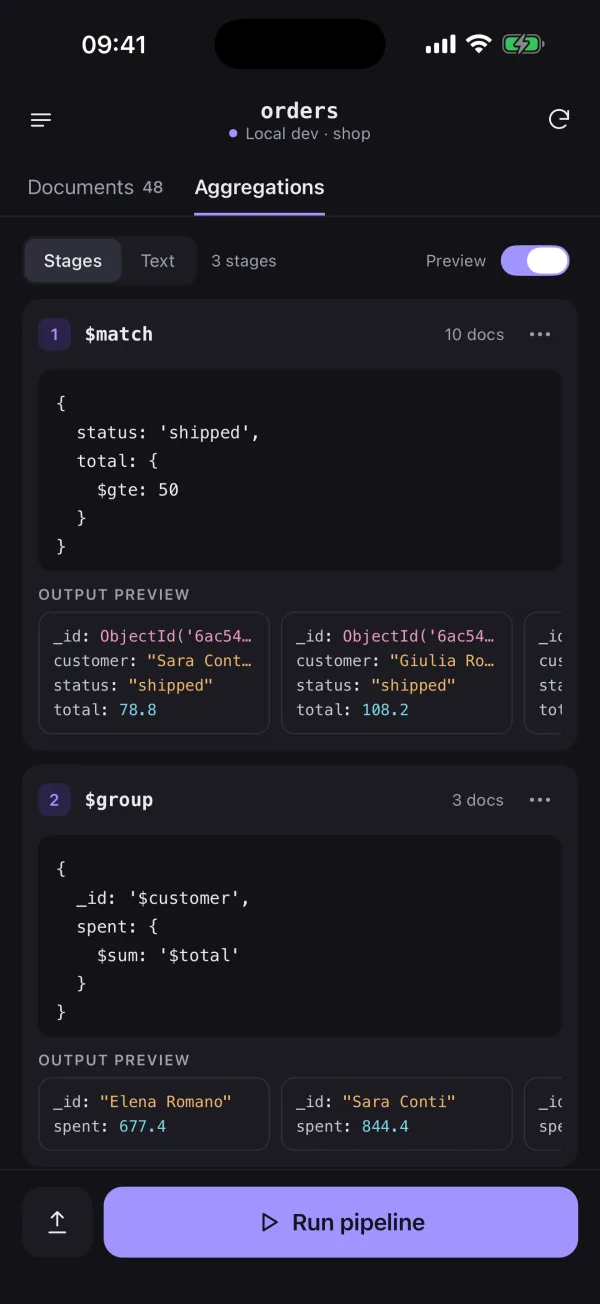
Aggregations on the go
Build pipelines stage by stage with a live output preview and document count for each stage, or paste a whole pipeline in text mode. Disable, reorder and duplicate stages.
Safe by default for production
Read-only mode is on by default for production connections and hides every write action. Connection strings never leave the device Keychain.
The official driver, running on your iPhone
MongoDB speaks its own protocol over TCP, which mobile JavaScript runtimes can't open, and the Atlas Data API was retired in September 2025. Bussola takes the direct route.
Paste a connection string
mongodb+srv:// or mongodb://. SRV records are resolved with the iOS system resolver, with public DNS as a fallback.
Connect directly over TLS
The MongoDB Rust driver, compiled for iOS, opens the connection from your phone to your cluster. Credentials stay in the Keychain.
Query, edit, aggregate
Results arrive as exact BSON types, so Int64, Decimal128 and dates survive a round trip without silent rounding.
Guides for MongoDB on the move
- Oct 6, 2026
Is There a MongoDB Compass for iPhone?
There is no official MongoDB Compass for iOS: Compass is a desktop app. Here is what you can use from an iPhone instead, and what to look for in a mobile client.
- Oct 6, 2026
The MongoDB Atlas Data API Is Gone: What to Use Instead
The Atlas Data API was removed on September 30, 2025. Here are the practical alternatives for apps, serverless code, scripts and quick data checks.
- Oct 6, 2026
How to Query MongoDB From an iPhone Without a Backend
Why you can't just run the MongoDB driver in a mobile app, what changed when the Atlas Data API was retired, and the options that still work.
Questions
Does Bussola need a backend, an API or an account?
No. Bussola connects directly from your iPhone to your MongoDB deployment with the official MongoDB Rust driver over TLS. There is no Bussola server and no sign-up.
Which MongoDB deployments can I connect to?
MongoDB Atlas (mongodb+srv:// strings), replica sets, sharded clusters through mongos and standalone servers, using username and password authentication. Self-hosted servers need TLS certificates from a public certificate authority; custom CAs, X.509 client certificates and SSH tunnels are not supported yet.
Why can't I connect to my Atlas cluster from my phone?
Atlas only accepts connections from addresses in the project's IP Access List. Mobile IP addresses change often, so add your current address temporarily (Atlas supports entries that expire), or route the phone through a VPN with a fixed exit IP and allow that one address.
Where are my connection strings stored?
Only in the iOS Keychain of your device, with the "when unlocked, this device only" protection: they are not synced to iCloud and never sent anywhere except to the database you connect to.
Is it safe to use on a production database?
Production connections open in read-only mode by default, which hides every write action. For extra safety, connect with a MongoDB user that has only the read role.
Does it work on cellular networks?
Yes. Bussola reconnects automatically when the phone switches between Wi-Fi and cellular, and every operation has a timeout so a weak signal never leaves the app hanging.
Is Bussola free?
Yes, Bussola is free on the App Store.
Is there an iPad or Android version?
Not yet. Bussola is iPhone-only today; an iPad layout is planned.
Is Bussola made by MongoDB?
No. Bussola is an independent app, not affiliated with or endorsed by MongoDB, Inc. MongoDB is a registered trademark of MongoDB, Inc.
Stop waiting until you're back at your desk
Free on iPhone. Your connection strings never leave the device.
Coming soon to the App Store